
Backlink Targeting
Two ways to target placements: DA brackets for a guaranteed authority threshold, or Smart Select for the best overall opportunity. Here’s how to choose.
Setting up a campaign in Rank Engine can be very simple or very controlled. That is the point.
You can give the system a strong pool of information and let it do most of the thinking for you. Or you can shape things much more tightly, placement by placement.
Both approaches can work great.
Rank Engine’s Project Builder is built around two main areas, Background & Assets and Content Settings, and each can be set either project-wide or per placement.
This is the first thing to decide, and it applies to both Background & Assets and Content Settings independently.
Project-wide is best when:
For Background & Assets, project-wide means giving Rank Engine one rich pool of material and letting the system decide which parts to surface in each article. That does not mean repeating the same story in every placement. It means creating variety from the information you provide.
For Content Settings, project-wide means you set the rules once and Rank Engine applies them across placements.
Per placement is best when:
Per-placement mode is ideal when one placement needs a tightly defined combination of parameters locked together for that site.
In simple terms:
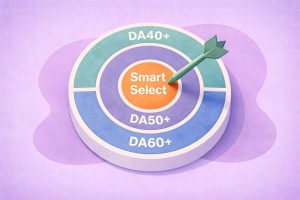
Rank Engine offers two backlink targeting strategies: DA Targeting and Smart Select. Both use Domain Authority as one signal, but they apply filters in a different order.
Use this when:
DA Targeting starts with your chosen bracket — DA40 to 49, DA50 to 59, or DA60+ — and then selects the best opportunities within that range using relevance, traffic quality, site popularity, and budget.
Use this when:
Smart Select prioritises relevance, traffic quality, and overall site quality first. DA still matters, but it comes later as a secondary signal. This may result in one premium placement or two strong placements, depending on what offers the best value for the campaign.


Two ways to target placements: DA brackets for a guaranteed authority threshold, or Smart Select for the best overall opportunity. Here’s how to choose.


Every campaign starts with the destination you want to strengthen and the words that will link to it.
This is the page, profile, or property you want to strengthen in search. That might be:
The right choice depends on the campaign type. For SEO, it is usually a service or landing page. For brand visibility, it may be a homepage or key profile. For ORM, it is often one of several owned properties you want strengthened in the search results, such as social profiles or listings.
This is the clickable text that points to your target URL.
Keep it natural, readable, and audience-friendly. Do not force awkward phrasing into it.
In some campaigns, especially ORM, the anchor may simply be the brand or individual name. In more search-led campaigns, it may be a descriptive phrase that supports the target page naturally.
Audience settings help shape the type of sites Rank Engine prospects on.
Audience locale controls whether the campaign is aimed at a global audience or readers in a specific country. This helps guide prospecting toward sites whose articles are written for that market.
TLD targeting controls how tightly domain choice should match that audience. You can choose between a mix of global TLDs and matching ccTLDs, or only ccTLDs that match the audience exactly. This is useful when you want the campaign to feel either broader and more international, or more rooted in one market.
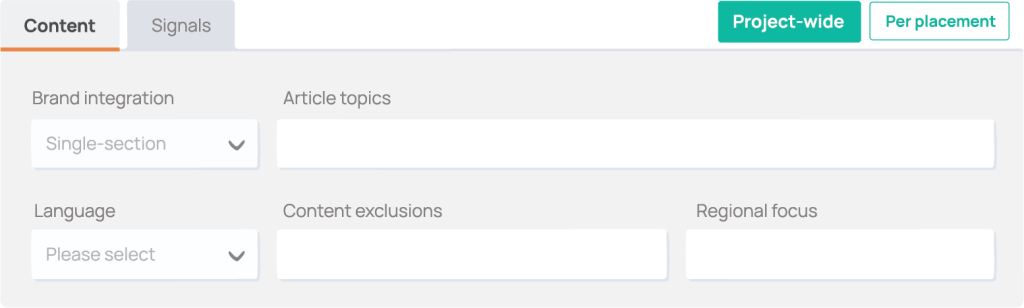
Brand Integration is a first-class setting inside Content Settings for Digital PR campaigns. You explicitly choose how strongly the brand should feature rather than relying on one default behaviour.
The brand appears in one focused section of the article. This is best when you want the article to feel strongly editorial, you want a lighter-touch mention, or your Background is solid but not especially deep.
The brand is referenced more meaningfully across the article. This is best when your Background includes several strong initiatives, you have real outcomes or examples to reference, and you want the brand to feel more like a case study inside the editorial.
Multi-section coverage works best when the Background contains several strong initiatives and outcomes to draw from.


How to choose the right Brand Integration based on your campaign goals, Background strength, and how prominently the subject should feature.

Article Topic is the lighter option — use it when you know the subject area but want Rank Engine to develop the angle. Project-wide Article Topics can be entered as a single topic or a comma-separated list, and Rank Engine rotates them across placements.
Article Brief is the tighter option — use it when you already know the direction and want the thesis or framing followed more closely.
Leave both blank if you want Rank Engine to develop the direction for you. The system excels at generating article direction under the hood, producing excellent article briefs by using seed topics from your Background.
Rank Engine researches trending topics and industry news, so that your articles strike the ideal balance for an editorial that features your subject (brand or person) credibily.
For a deeper breakdown of the difference, see our Article Topic vs Article Brief guide.


Understand the difference between Article Topic and Article Brief, when to use each, and when to leave both blank and let Rank Engine develop the direction from your Background.

These are smaller controls that can make a real difference when used deliberately.
Supporting keywords placed close to the main link. They are not additional hyperlinks. Use this when you want a stronger association between the anchor area and certain search terms. Leave it blank when you want broader, more varied brand mentions. This field has a strong influence, so it is better used deliberately than casually.
Extra URLs Rank Engine can use as supporting references alongside the main target URL. These often include social profiles, business listings, directory pages, news coverage, or other authoritative brand-related pages. Each article can include the target URL plus up to two additional citation URLs, allowing up to three backlinks per placement.
This is useful across campaign types, but especially powerful in ORM where one article can support multiple owned properties naturally.
Tell Rank Engine what to avoid — competitors, irrelevant sectors, product categories you do not serve, topics you do not want linked with your brand. The point is not to make the campaign rigid. The point is to stop off-brand directions being chosen in the first place. Set these early.
Controls where the article world is set, affecting examples, news items, brands referenced, and general framing. Use it when you want the campaign rooted in a specific country or region. Leave it blank when you want more location-neutral content. If you mention where you operate in the Background but do not set Regional Focus, Rank Engine can create a natural mix of regional and globally oriented articles.


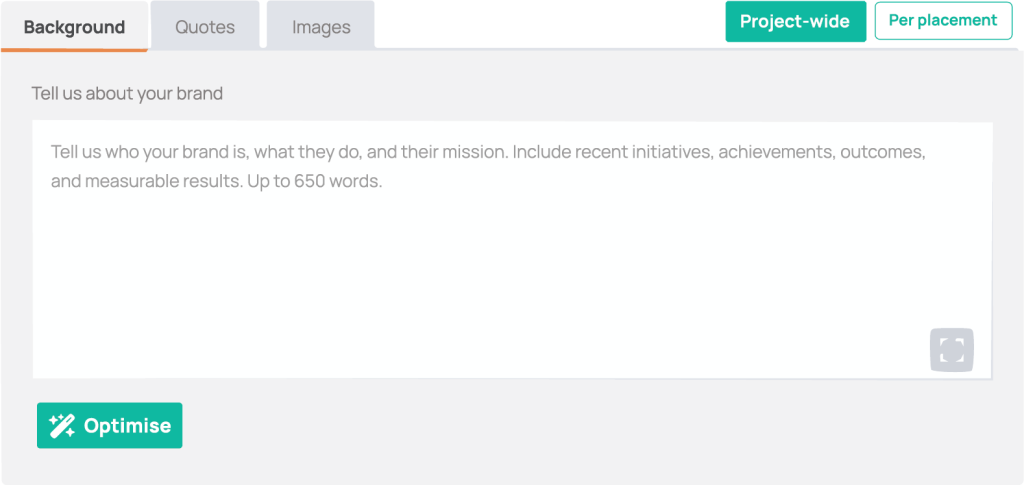
Background & Assets is the raw material behind the campaign. It is where you explain what Rank Engine needs to know before anything is written.
A strong Background covers who the brand or person is, what they do, how they do it, and what has resulted from that work. It should give the system enough depth to draw from selectively across multiple articles.


Learn how to write Backgrounds that give Rank Engine real material to work with. Covers what to include, how to explain the “how,” and what makes the difference between weak and strong.

If you are not sure whether your Background is strong enough, ARI sits inside the Project Builder and can assess, research, and help tighten it before you build the campaign out further.


ARI helps your brand integrations by aligning Backgrounds with best practice standards, removing the guesswork for ideal Background submissions.

You can also add Custom Quotes from founders, experts, or spokespeople to make articles feel more human and authoritative. And you can provide Custom Image URLs if you want your own visuals used where suitable.
These settings control how much review happens before anything goes live, and how quickly the campaign rolls out.
Content approval lets you review each article, comment on it, request changes, and sign off before anything is pitched or published.
Placement approval lets you review publisher sites before anything goes live. This is useful when brand sensitivity matters or stakeholders want visibility before publication.
Delivery pace has three options: faster delivery for campaigns without approval cycles, approval-led delivery when review is built in, or a 30-day drip for a softer rollout where links and articles go live gradually over the month.
There is no single perfect setup. But in practice, strong campaigns usually follow one of three patterns:
All three can work well. The right setup depends on how much control you want, how much setup time you want to spend, and how specific your expectations already are.
A strong campaign setup is not about filling in every field.
It is about making the right decisions in the right places.
Start with the essentials. Then add tighter controls only where they actually improve the outcome.


Learn how to write Backgrounds that give Rank Engine real material to work with. Covers what to include, how to explain the “how,” and what makes the difference between weak and strong.


ARI helps your brand integrations by aligning Backgrounds with best practice standards, removing the guesswork for ideal Background submissions.


How to choose the right Brand Integration based on your campaign goals, Background strength, and how prominently the subject should feature.


Understand the difference between Article Topic and Article Brief, when to use each, and when to leave both blank and let Rank Engine develop the direction from your Background.

Book a free call with our team and learn how Rank Engine can enhance your link building, ORM and digital PR campaigns.
Please provide your contact information and we'll get back to you soon.
We use cookies for essential functionality and our own tracking only.